Alibaba Speeds Up Qwen Image to Eight Steps for Rapid Product Photography
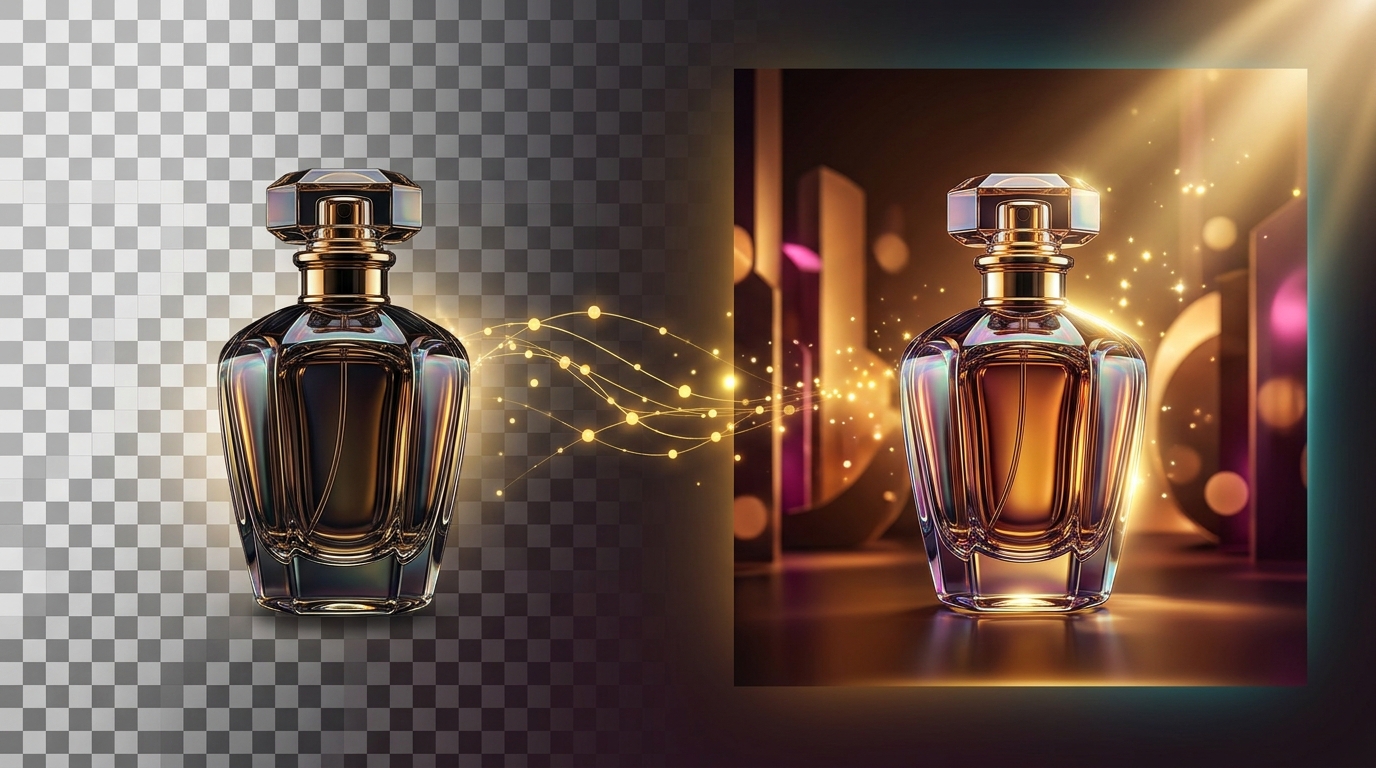
Product photography for a product card is usually not just one shot, but a dozen: you need to remove the background, adjust the lighting, and assemble several angles in a unified style. Manual clipping and lighting adjustments eat up hours. Alibaba's fresh release in the Qwen Image family addresses this exact routine—and it is a reason to analyze a specific technique for product photography, rather than just another comparative model review.
What exactly has Alibaba updated
. A. Key takeaways for practice:.
This is not a stripped-down version for the sake of speed. The quality is preserved in Turbo. For product photography, this means one thing: you can run through dozens of card variations in the time it used to take for a single pass followed by manual clipping.
Technique: Product directly on a transparent background, without a mask
The classic path for product photography with a neural network is to generate the product on some background and then cut it out in a photo editor as a separate step. RGBA transparent output changes the workflow:
- Upload a product reference — a photo of the packaging, bottle, or gadget — as a reference image, not just a text description.
- Explicitly request a transparent background in the prompt and lock in the angle, material, and highlights — elements that should remain unchanged between variations.
- Get a PNG with an alpha channel — a layer with the product without a background, which can be immediately placed on any backdrop in a design editor or used in a subsequent prompt to generate a new scene around it.
- Use multiple references simultaneously — for example, a product photo plus a reference for the desired lighting or surface — so the model maintains shape and proportions rather than "inventing" them from scratch.
This workflow removes the most time-consuming stage — manual object selection along the contour, which is especially difficult for products with glass, fur, or small hardware.
How to speed up testing background and lighting variations
The eight-step mode is useful not just for its own sake, but as a tool for iteration. When one pass takes seconds rather than tens of seconds, it makes sense to test several hypotheses at once:
- the same card on a neutral studio background and in a thematic scene;
- several lighting direction options with the same composition;
- different aspect ratios for a marketplace card and a banner.
The ability to work with up to ten reference images simultaneously allows you to anchor not only the product itself but also recurring elements — branded props, brand color palettes, lighting types — and carry them over between generations without rebuilding the prompt from scratch every time.
What to pay attention to
An important disclaimer regarding the license: For commercial use in business processes, you should look at hosted API versions rather than local execution of research weights — these are different legal access regimes.
The second point is that a transparent background does not eliminate the need to work on composition. The model holds the product shape well based on the reference, but the final lighting and shadows on a new backdrop should still be checked by eye: sometimes the product shadow turns out too sharp or, conversely, disappears entirely, and it needs to be manually adjusted in an editor.
In short
The technique for product photography is simple: do not generate the product on a background with subsequent clipping, but request a transparent PNG based on a reference immediately, using multiple reference images to maintain shape and style. Accelerated checkpoints like Qwen Image Turbo make such iteration practical even with a large number of cards.
If you want to try similar image generation tools, check out the models and features already available in GEMERA AI — you can test different approaches to product photography and photorealism in one window, without switching between services.