Why the 'ten-reference rule' in FLUX doesn't actually work
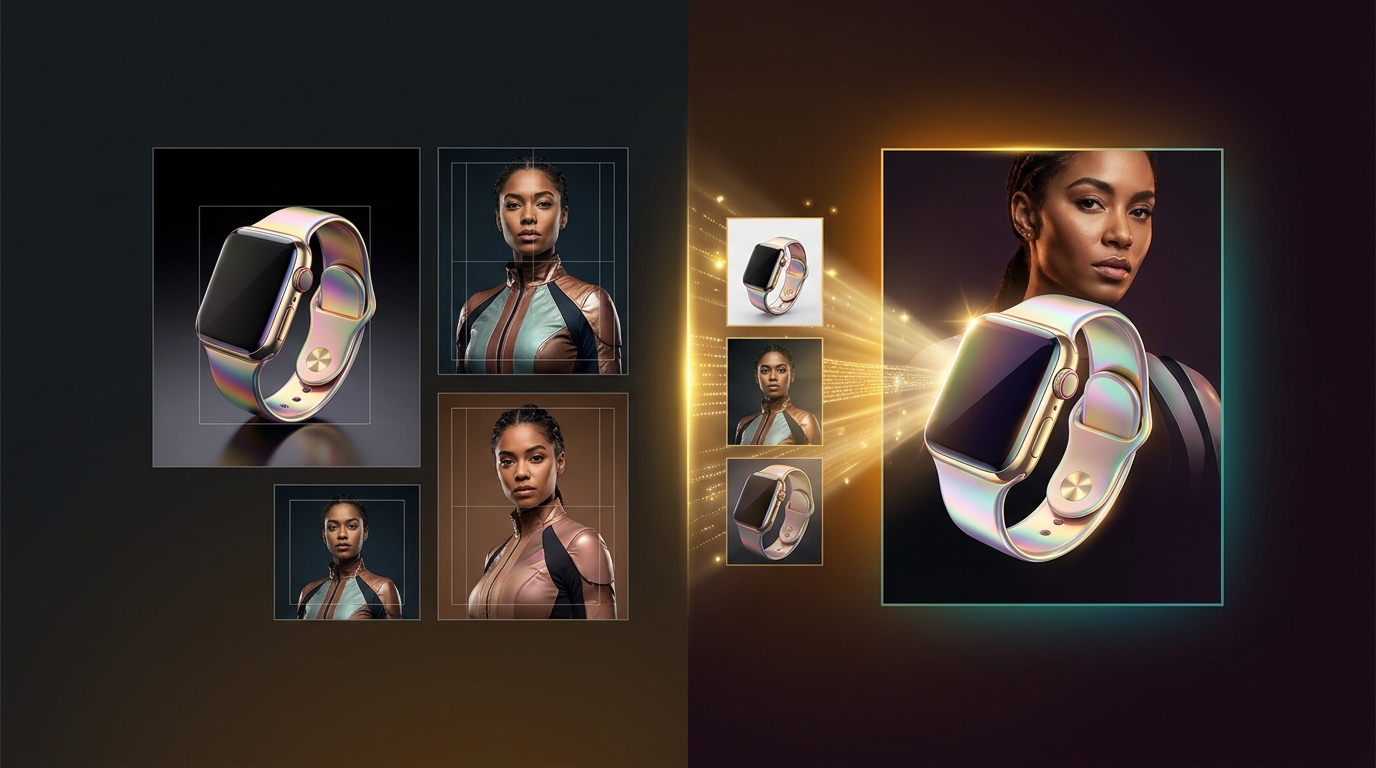
As soon as Black Forest Labs released the open weights for their new model with support for ten reference images at once, the chat rooms for copywriters and designers buzzed with excitement: finally, you could feed the AI a background, a product, and lighting to get a professional-grade shot without a photo studio. I thought the same thing—and spent an evening realizing that the number '10' sounds much more impressive than it performs in practice.
What actually happened
.. It sounds like a ready-made construction kit for product listings or portrait stylization. In reality, each of these capabilities comes with caveats, and it is these caveats that determine whether you get a usable shot or a collection of artifacts.
Six myths about multi-reference generation that don't hold up
- Myth 1. The more references, the more accurate the result. In reality, every added image is not a bonus, but a load on the model.. Conclusion: for product photography, two or three precise references (product, background, lighting) work more reliably than ten random images 'for inspiration'.
- Myth 2. The bounding box is an ironclad boundary; pixels won't leak outside it.. For photorealism, this means: the edge of the product might slightly 'bleed' over the zone boundary, and you will still have to do the final retouching by hand.
- Myth 3. Just upload a product reference and a background, and you have a ready-made marketplace listing.. That is, the model doesn't 'understand' that the first image is specifically the product that shouldn't be distorted: the role of each reference must be explicitly defined in the prompt, otherwise you will get a mix of textures.
- Myth 4. One photo is enough for a portrait—likeness is guaranteed. The system was created as a scene composition tool, not an identity lock: bounding boxes and references control placement and style, but they do not rigidly fix facial features. In practice, when the head turns or the lighting changes, the likeness drifts. For a series of portraits, you need control via a repeating seed and an identical set of references, rather than just 'more face photos'.
- Myth 5. Open weights mean a free replacement for a studio right out of the box.. This means that a consistent brand identity won't appear out of the box, but rather after fine-tuning on a specific catalog—meaning it is a tool for a studio, not a replacement for one.
- Myth 6. 4K generation automatically provides photo-studio quality. Resolution and detail are about sharpness, not about the physical authenticity of light and material.. For photorealistic products, it is consistently better to use a combination: a base model tailored to a specific task plus manual light correction, rather than a single pass at maximum resolution.
What to do instead of chasing the number 'ten'
My editorial stance is simple: multi-reference generation is a real step forward, but it is not a 'make it beautiful' button. It is better to use a minimum number of references, explicitly describe the role of each in the prompt, use bounding boxes as a hint rather than a guarantee, and budget time for manual image refinement. For portrait stylization, this means a fixed set of input data and a repeatable prompt, rather than a stream of different selfies. For product listings, it means a clean reference of the object itself plus a background reference, without unnecessary visual noise.
If you want to try multi-reference generation and other models for photorealism, portraits, and stylization in practice, you can already explore the available image tools in GEMERA AI and compare which approach best suits your specific task.