Seedream 5.0 Lite for E-commerce: How ByteDance Solved the Product Background Problem
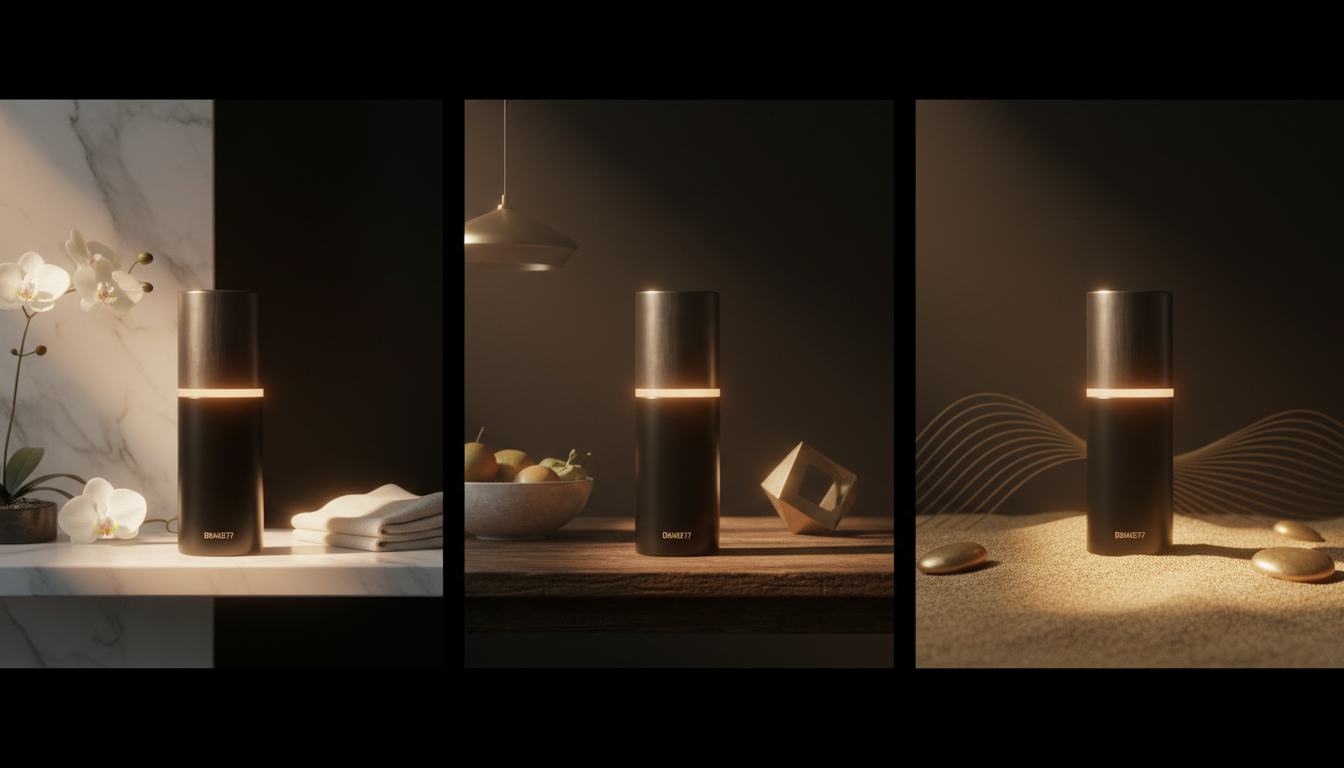
Online store owners know that product card conversion depends directly on visuals. Customers want to see the product in context—on a kitchen table, in a bathroom, on a shelf, or in a model's hands. Previously, this required a photoshoot or the services of a designer. ByteDance has released Seedream 5.0 Lite, an image generation model that places a product into dozens of locations in minutes, accurately preserving proportions, label design, and reflections on new surfaces.
How it works: One photo, dozens of contexts
Seedream 5.0 Lite uses improved prompt understanding and reference handling. You upload a basic product photo on a white background—a cream jar, an oil bottle, a tea package—and define a new context via text. The model automatically embeds the product into the scene: on a marble bathroom shelf, on a wooden table by a window, or on beach sand next to a towel.
The key difference from previous versions is the precise preservation of details. The algorithm maintains packaging proportions, label text readability, and brand colors. The system correctly calculates lighting, shadows, and reflections on new surfaces. The result looks like a professional studio shoot but is created in minutes instead of hours.
Three scenarios for online stores
Updating product cards without a photoshoot. You have a basic product photo with a white background. Instead of ordering a new shoot, you generate ten versions of the card: the product on a kitchen table, in a living room, outdoors, or in a model's hands. Each location highlights a different use case and helps the customer imagine the product in their own life.
Adapting visuals for different audiences. The same face cream can be shown on a marble shelf for a premium audience or on a wooden shelf in an eco-style for customers who value natural products. Seedream 5.0 Lite allows you to create several versions of a card for different segments without additional content production costs.
Rapid hypothesis testing. Before launching an advertising campaign, you can create twenty visual variants with different backgrounds and locations in an hour, test them on a small audience, and choose the best one. Previously, this required a week of work from a designer or studio. Now, the entire process fits into a single day.
Native text rendering: Why it matters for brands
One of the main problems with previous generation models was unreadable text. Logos turned into blurry spots, and inscriptions on packaging became a set of random characters. Seedream 5.0 Lite includes native text rendering: simply enclose the required phrase in double quotes in the prompt, and the system will render it without errors.
This is critical for brands working with product cards, advertising banners, and packaging. Now you can generate visuals with readable headlines, slogans, prices, and calls to action. The model handles text hierarchy: large headlines, medium subheadings, and small text on labels—everything remains sharp and correct.
How to start working with Seedream 5.0 Lite
The model is available via the BytePlus API for developers and through the AI Playground for quick testing. New users receive fifty free generations—enough to evaluate the quality of the results and determine if the tool fits your needs.
For a basic scenario, you need one product photo on a white background and a text prompt describing the new location. If preserving brand colors or exact proportions is important, upload a reference and specify key details in the prompt. The model will take them into account during generation and provide a result close to a studio shoot.
Try Seedream 5.0 Lite and other image generation models at GEMERA AI—accessible via Telegram bot and web dashboard, no VPN required, with a user-friendly interface.